
AI teammates
VamosAI teammates that work on a shared cloud computer and ask before they act.
Give a Bot a task in chat. It works on a computer in the cloud that you can watch, take over or teach, and it asks for your permission before it buys, sends or uses a password.
- Web
- iPhone
Opens an email to hi@sintetiko.com. We reply within one business day.
The real Vamos, with a sample company
The demo is built for a larger screen. Open it full screen, or come back on a computer.
Always the latest version we have shipped.
What you can try
Concrete things to do in the demo. Each one works with the sample data.
- 01Sign in with the email link and go through the onboarding steps.
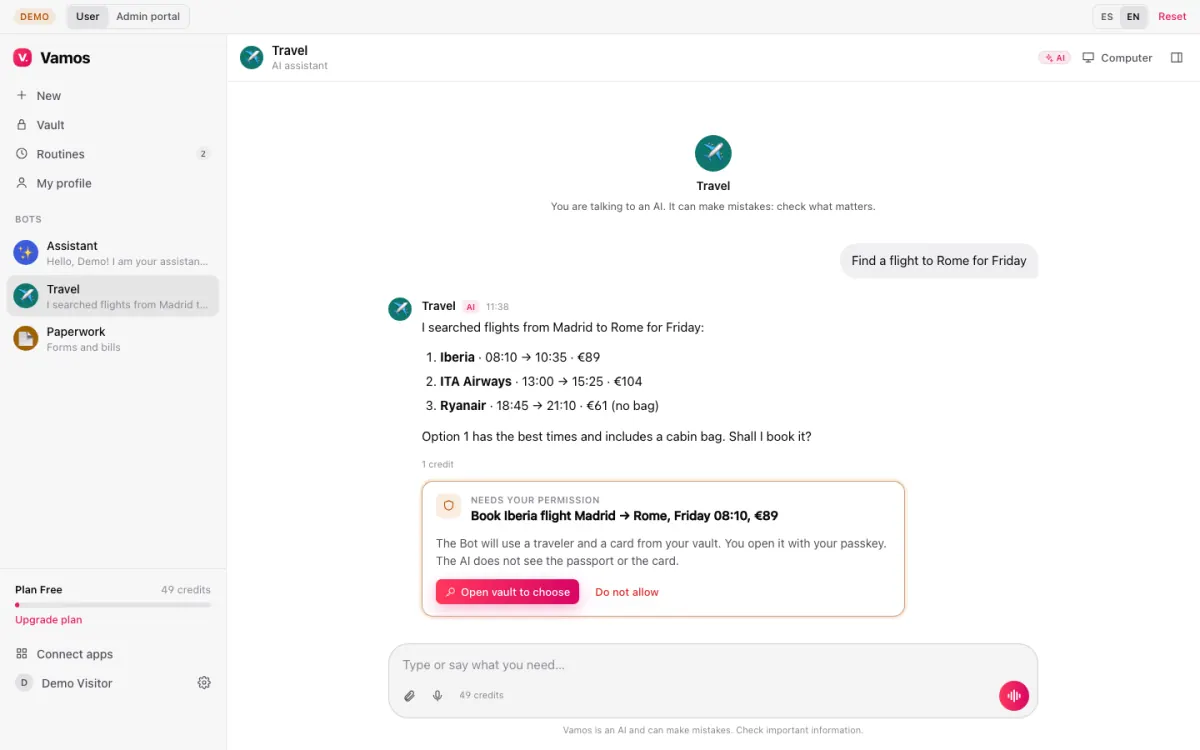
- 02Ask the Travel Bot to find a flight to Rome for Friday and look at the permission card it shows before booking.
- 03Open the Bot's computer and find the controls to take over or teach it a task.
- 04Open Routines, your profile and the vault from the menu.
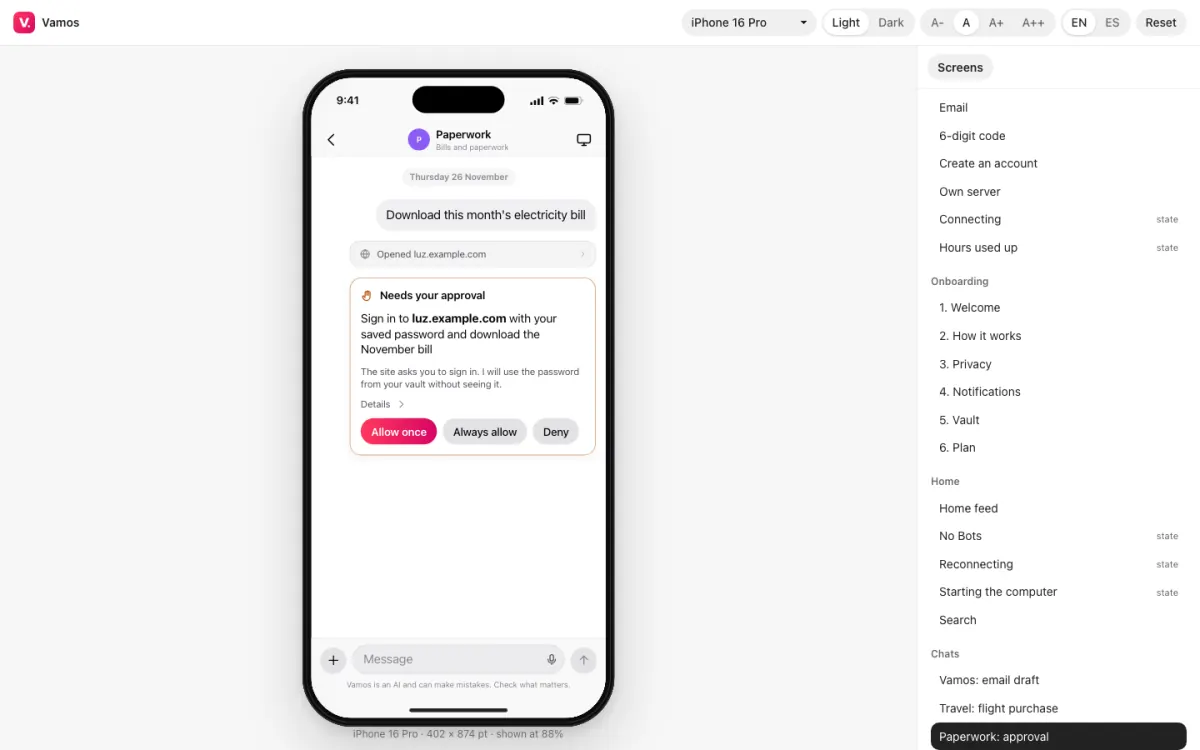
- 05On iPhone, choose the scene "Paperwork: approval" and tap Allow once.
- 06On iPhone, open "Live screen" to watch the Bot's computer.
How it works
You brief it in chat
Each Bot has a job: an assistant, travel, paperwork. You write what you need, as you would to a colleague.
Its computer is in view
The Bot works on a cloud computer you can watch live, take control of, or teach a task step by step.
Your permission first
Purchases, emails and the use of a password wait for your answer. You can allow it once, always allow it, or deny it.
Secrets stay in your vault
When a Bot needs a password or traveller details, it asks for them from your vault instead of in the chat.
Who it is for
Founders and small teams who want routine online work done, such as bookings, paperwork and purchases, without giving an AI free rein over their accounts.
Questions
Is this real data?
No. The demo is the real product interface, filled with a sample company. Every person, message, document and figure in it is synthetic.
Can I change things?
Yes. Click, type, approve and send as you would in the product. Your changes stay in this browser, so you can come back to them. Use the demo's Reset control, or clear this site's data, to start again.
What happens to what I type?
It stays in your browser. The demo sends nothing you type to SINTETIKO or to anyone else: no email is delivered, nothing is bought and no account is created. Some demos load their fonts from Google Fonts.
Is the demo up to date?
Yes. This page always opens the latest version of the demo, so it changes when we ship the product.
How do I get it for my company?
Email hi@sintetiko.com and tell us which tasks you would hand over first. We reply within one business day with availability and next steps.
Want Vamos in your company?
Tell us how your team works today. We reply within one business day with an honest answer on fit and next steps.
Opens an email to hi@sintetiko.com. We reply within one business day.
SINTETIKO products
- SINTETIKO WorkspaceMail, chat, CRM, finance and every company tool in one workspace.Try the demo
- SINTETIKO VaultYour documents, cards and secrets, used by agents without seeing them.Try the demo
- LexbotAI legal assistant in Spanish for lawyers in Spain, matter by matter.Try the demo
- SINTETIKO CAMDesign, simulate and program CNC turned parts in the browser.Try the demo