
Secrets for AI agents
SINTETIKO VaultYour documents, cards and secrets, used by agents without seeing them.
AI agents often need a password, an API key or a card to finish a task. Vault keeps them in a vault on your Mac and your iPhone. An agent asks to use one, you approve with Touch ID or Face ID, and the agent gets the result, never the secret.
- Mac
- iPhone
Opens an email to hi@sintetiko.com. We reply within one business day.
The real SINTETIKO Vault, with a sample company
The demo is built for a larger screen. Open it full screen, or come back on a computer.
Always the latest version we have shipped.
What you can try
Concrete things to do in the demo. Each one works with the sample data.
- 01Unlock the Mac vault with the simulated Touch ID.
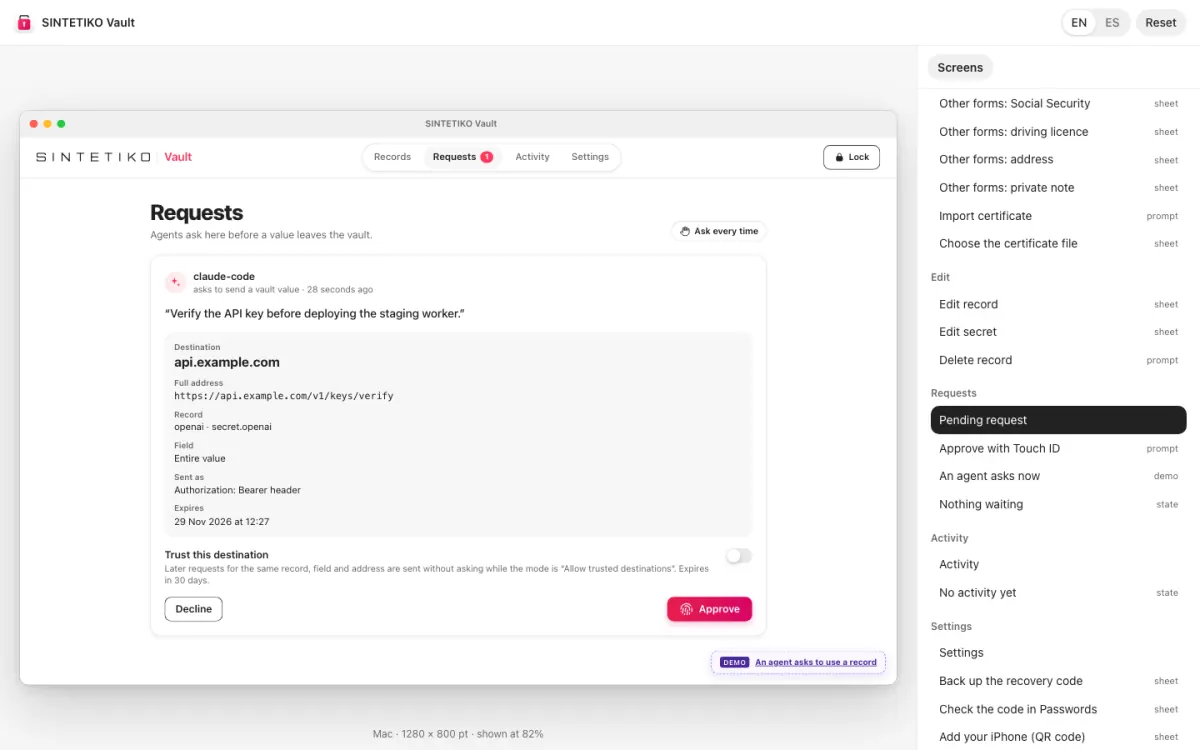
- 02Open Requests, approve the agent's request to use an API key and see what the agent gets back.
- 03Open the sample Visa card in Records.
- 04Choose the scene "An agent asks now" in the scene list.
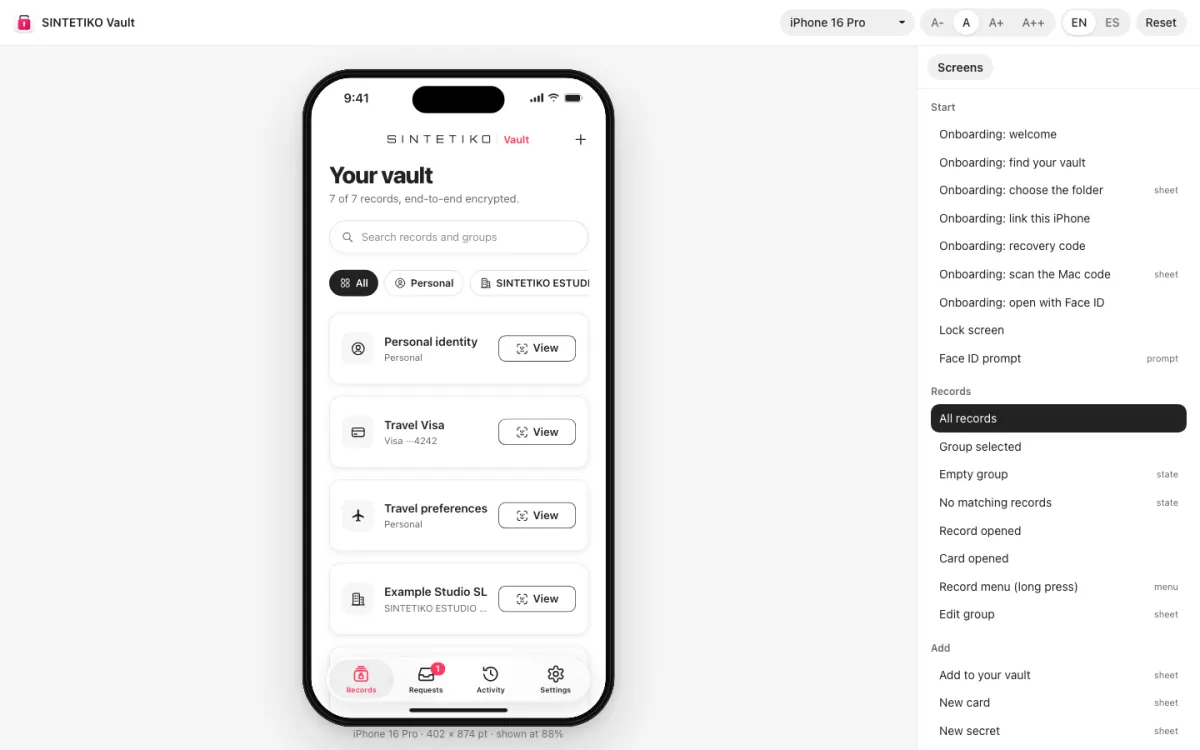
- 05On iPhone, set up the vault: find it, scan the Mac's code and unlock with the simulated Face ID.
How it works
The agent asks, you decide
Each request says which agent wants which secret and where it will be sent. You approve or decline it.
Results, not values
Vault uses the secret on the agent's behalf. The agent gets the answer, for example that the request went through, and never sees the key itself.
Mac and iPhone
The vault is on your Mac and stays in sync with your iPhone through iCloud. You set up the iPhone by scanning a code from the Mac, so you can approve from your pocket.
Unlock with your face or finger
Opening the vault and approving a request both ask for Touch ID or Face ID.
Who it is for
People and teams who let AI agents do real work, from coding assistants to browser agents, and do not want to paste passwords, API keys or card numbers into a chat.
Questions
Is this real data?
No. The demo is the real product interface, filled with a sample company. Every person, message, document and figure in it is synthetic.
Can I change things?
Yes. Click, type, approve and send as you would in the product. Your changes stay in this browser, so you can come back to them. Use the demo's Reset control, or clear this site's data, to start again.
What happens to what I type?
It stays in your browser. The demo sends nothing you type to SINTETIKO or to anyone else: no email is delivered, nothing is bought and no account is created. Some demos load their fonts from Google Fonts.
Is the demo up to date?
Yes. This page always opens the latest version of the demo, so it changes when we ship the product.
How do I get it for my company?
Email hi@sintetiko.com and tell us which agents you use and what they need access to. We reply within one business day with availability and next steps.
Want SINTETIKO Vault in your company?
Tell us how your team works today. We reply within one business day with an honest answer on fit and next steps.
Opens an email to hi@sintetiko.com. We reply within one business day.
SINTETIKO products
- SINTETIKO WorkspaceMail, chat, CRM, finance and every company tool in one workspace.Try the demo
- VamosAI teammates that work on a shared cloud computer.Try the demo
- LexbotAI legal assistant in Spanish for lawyers in Spain, matter by matter.Try the demo
- SINTETIKO CAMDesign, simulate and program CNC turned parts in the browser.Try the demo